Automated rotations, live call routing, and OpsIQ AI so the right engineer is reached and resolving before the next alert fires.
Get a demo built around your team's rotation and escalation setup.
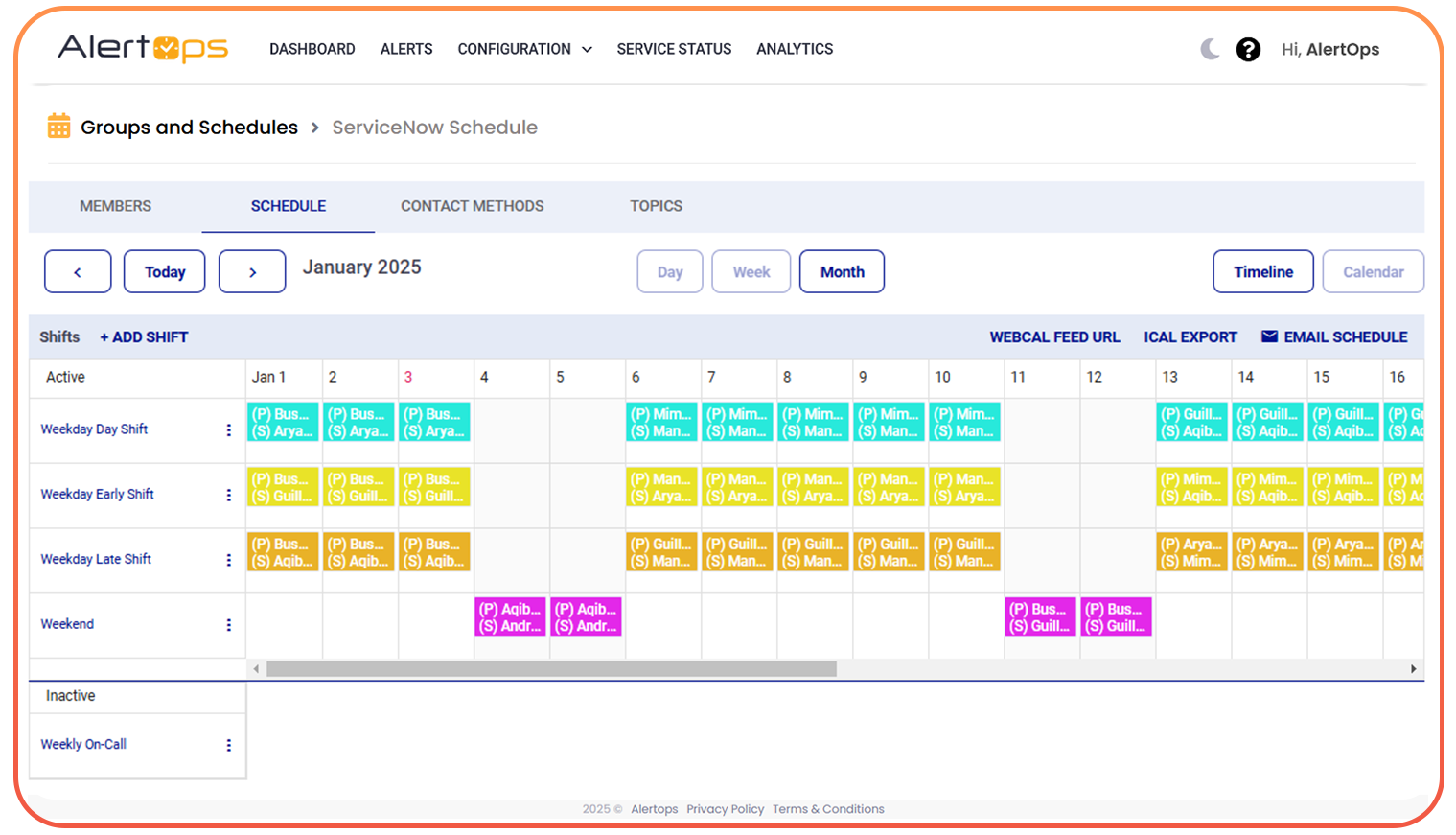
AlertOps generates on-call schedules automatically across daily, weekly, and follow-the-sun models. Your team sets it once. Gap detection, overrides, and shift notifications run without you.
AlertOps builds your rotation calendar automatically across every team and time zone. When a gap opens, it flags it before an incident finds it first. When an engineer goes OOO, coverage is reassigned in 30 seconds from the mobile app.
AlertOps generates weekly and monthly on-call calendars automatically. Team leads see coverage at a glance. VPs get MTTA, escalation, and burden reports without a single manual export.
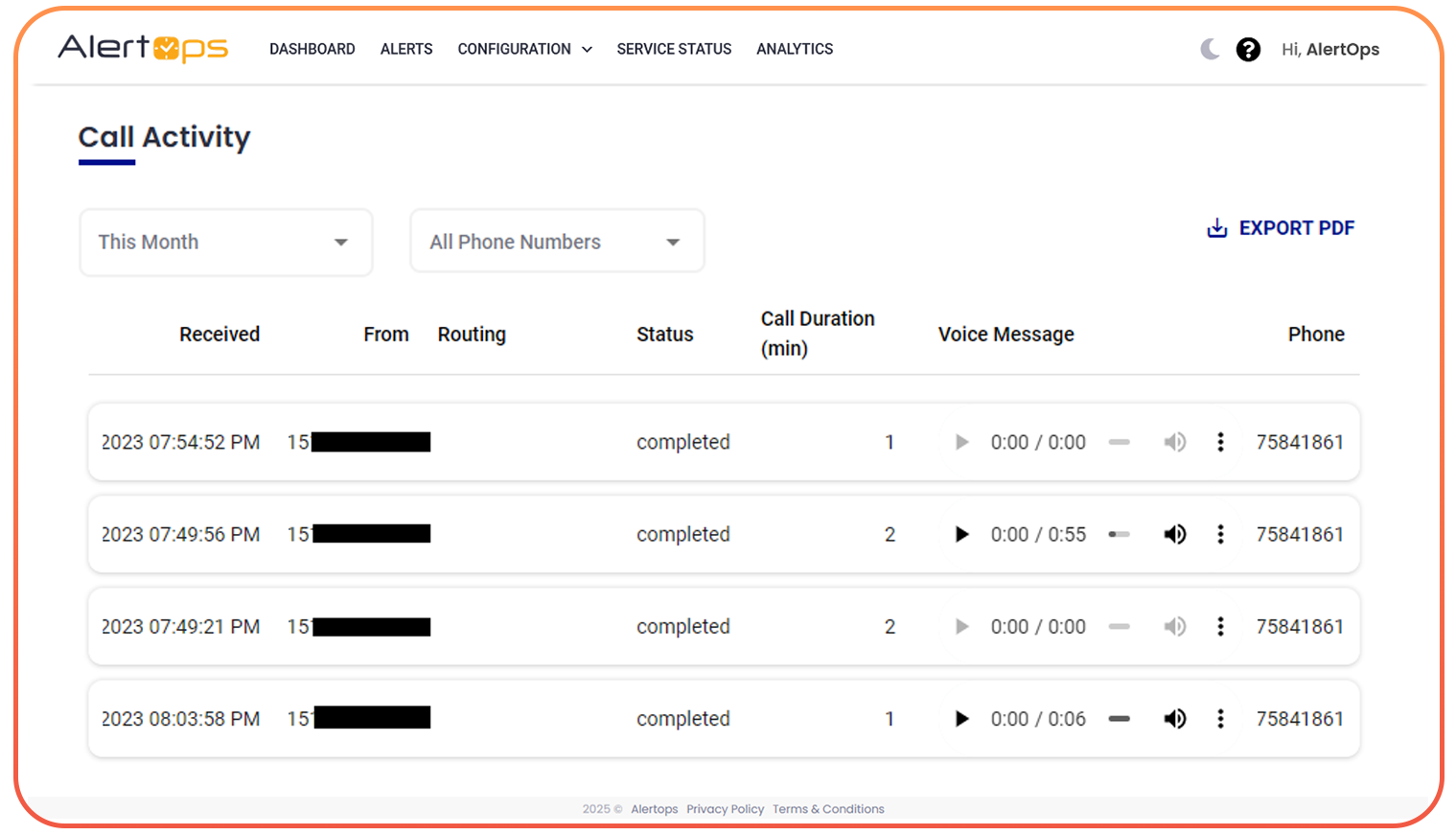
AlertOps routes live phone calls directly to whoever is on-call right now automatically, 24/7. No stale routing tables. No calls that ring and ring. Every call answered or escalated.
AlertOps provides a dedicated routing number. Every inbound call goes to the current on-call engineer in real time. If they don't answer, the call escalates to the next tier. If nobody answers, the voicemail is captured and automatically converted into an alert complete with the voicemail content so nothing is ever lost.
Inbound to +1 (888) 555-ONCALL. Routed to Sarah K. (primary). No answer threshold: 20s auto-escalate to Marcus T. Voicemail enabled as fallback.
Not every call needs the same engineer. AlertOps lets callers select the team or service they need via a touch-tone menu, routes known numbers directly by caller ID, and logs every interaction automatically. Your team gets the call data they need for SLA adherence and incident review without lifting a finger.
A SEV-1 at 2am needs a phone call. A warning can go to Slack. AlertOps delivers the right alert through the right channel configured per severity, per engineer, per team. If push fails, SMS fires automatically.
AlertOps escalation policies run on rules your team defines once. If the primary does not acknowledge in your window, the backup gets called. Then the manager. Every alert has an owner.
Define escalation tiers, acknowledgment windows, severity thresholds, and time-of-day rules. AlertOps runs the policy automatically across every alert, every time without anyone managing it manually at 3am.
OpsIQ does not replace your engineers. It gives them the first 15 minutes of triage already done. By the time the page fires, the alerts are correlated, the root cause is identified, and the proven fix is surfaced.
3 alerts correlated into 1 incident. Root cause: DB connection pool exhaustion on rds-prod-01. Matched 3 similar incidents in 30 days. Suggestion: run runbook DB-POOL-RESIZE-v2. Avg MTTR on this pattern: 4m 22s.
AlertOps replaces only the on-call and escalation layer. Your monitoring, ITSM, and ChatOps tools stay exactly where they are.
The difference between 4 minutes and 40 minutes is not the engineer's skill. It is whether the on-call program was designed or improvised.
Three monitoring tools fire independently. Engineer wakes up to a storm with no context and spends 18 minutes reconstructing what broke.
No automated call routing. Engineer manually calls the right person. Context degrades with every verbal handoff.
If the primary doesn't answer, someone checks Slack. The alert sits unclaimed. MTTR climbs while the business bleeds.
Resolution happens eventually. No postmortem data captured. Same incident next week.
OpsIQ correlates 14 alerts into one incident with root cause hint and resolution suggestion. Engineer wakes up to a solved problem.
AlertOps calls the primary on-call via voice. No answer in 20 seconds call escalates to backup automatically. No phone trees.
No ack in 5 minutes triggers automatic escalation via SMS, push, email, and Slack. Every alert has an owner.
Resolution confirmed. Chronicle Postmortem drafted from the incident timeline. Next engineer resolves this in under 2 minutes.
AlertOps deploys in hours. Connect your monitoring stack, configure your first rotation, and your team is covered before the next incident. 14-day free trial on every plan.
No credit card required. SOC 2 Type II certified. 99.99% uptime SLA.